
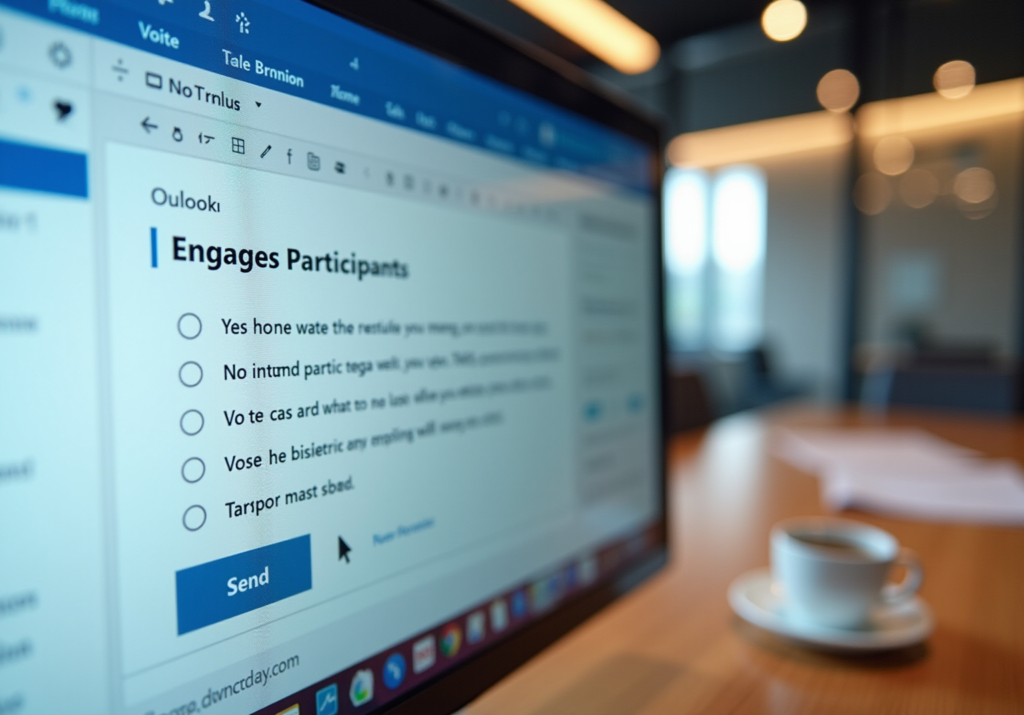
Key Highlights
- Voting buttons in Outlook allow organisations to create polls directly within emails for gathering feedback.
- The feature simplifies decision-making by providing predefined options like ‘Yes’, ‘No’, or ‘Maybe’.
- Successful use of Outlook polling has increased engagement rates in organisations.
- Leaders should ensure all members understand the voting button to avoid confusion and improve participation.
- Steps to add voting buttons include creating a new email, accessing the options tab, selecting the voting button, and customising options.
- Public approval for labour organisations has increased from 61% in 2017 to 70% in 2024, indicating growing support for collective engagement.
- Responses are collected directly in Outlook for quick analysis, aiding union leaders in connecting with constituents.
- Reviewing voting responses can provide insights into member opinions and improve engagement strategies.
- The use of voting buttons enhances transparency and inclusivity, fostering a sense of community among members.
- Leveraging voting buttons can create a more dynamic organisation and strengthen democratic processes.
Introduction
Mastering the art of communication within unions is not just beneficial; it’s essential for fostering engagement and inclusivity among members. One powerful tool at leaders’ disposal is the voting button feature in Microsoft Outlook. This feature simplifies the process of gathering opinions and making collective decisions, making it a game-changer for union leadership. By integrating this resource into their communication strategies, union leaders can streamline decision-making and empower members to actively participate in shaping their organization.
However, a pressing challenge remains: how can leaders ensure that every member is equipped to utilize this feature effectively? Addressing this question is crucial for maximizing the potential impact of the voting button. Union leaders must consider not only the implementation of this tool but also the training and support necessary to ensure all members can engage with it confidently.
Understand Voting Buttons in Outlook
The voting button in Microsoft Outlook serves as a powerful tool for organizations, allowing leaders to create polls directly within their email communications. This feature is particularly beneficial for gathering feedback and enabling swift decision-making. By asking specific questions with predefined answers like ‘Yes’, ‘No’, or ‘Maybe’, union leaders can streamline the decision-making process, making it more accessible for all participants.
For instance, many organizations have successfully utilized Outlook options to gauge participant opinions on critical issues, significantly boosting engagement rates. This method not only simplifies decision-making but also fosters a more within the organization, encouraging individuals to take an active role in organizational matters. As organizations adapt to modern communication strategies, leveraging tools like Outlook polling features can lead to enhanced participant engagement and a more robust collective voice.
However, it is crucial for association leaders to ensure that all members are familiar with the voting button in the voting process to avoid confusion. Providing clear guidance or demonstrations can greatly improve understanding and participation. By taking these steps, leaders can maximize the effectiveness of this valuable resource.
Add Voting Buttons to Your Emails
To effectively include selection options in your emails using Outlook, follow these straightforward steps:
- Create a New Email Message: Start by drafting your email.
- Access the Options Tab: Within the message window, navigate to the ‘Options’ tab.
- Select Voting Button: In the ‘Tracking’ group, choose ‘Use Voting Button’.
- Customize Your Options: Select from predefined options or create custom buttons tailored to your organization’s needs. For example, you might choose ‘Approve; Reject’ to facilitate decision-making on a new policy.
By customizing these selection options, you can align your questions with the interests and concerns of your members, significantly enhancing engagement and response rates. Notably, public approval of labor organizations has risen from 61% in 2017 to 70% in 2024, underscoring the growing support for collective engagement.
Furthermore, [responses are collected directly in Outlook](https://support.microsoft.com/en-us/office/use-voting-buttons-in-messages-4d10e079-8ea1-489a-a79c-18cb71ae12dd), allowing for quick viewing and analysis of voting results. As one specialist noted, polls serve as a vital tool for union leaders to connect with their constituents, ensuring that decisions reflect the collective will of the organization.
Remember to keep voting button messages in the Sent Items folder to ensure that responses are processed correctly. This practice not only streamlines your workflow but also reinforces the importance of organized communication in fostering a responsive and engaged union.
Review and Analyze Voting Responses
Once participants have cast their votes using Votem’s CastIron platform, it’s crucial to review and analyze the responses. This platform not only streamlines the voting process through the use of a voting button but also ensures security and accessibility for all. Union leaders can leverage the of the voting button within the platform, which provide a comprehensive summary of the votes received.
Furthermore, paying attention to trends in the responses can yield valuable insights into member opinions and preferences. For instance, if a significant majority votes in favor of a proposed change, it may indicate strong support for that initiative. Conversely, low participation could suggest a need for improved communication or engagement strategies. This highlights the importance of Votem’s mission to enhance voter confidence and engagement, ultimately driving better outcomes for union leadership.
Leverage Benefits of Voting Buttons
The advantages of utilizing selection controls in Outlook extend well beyond mere convenience. They significantly streamline the decision-making process, allowing leaders to quickly gather opinions and arrive at resolutions on critical issues, which in turn boosts overall productivity. Furthermore, the inclusion of voting buttons enhances transparency and inclusivity, ensuring that all participants can voice their perspectives on important matters. This feature not only encourages in association activities but also cultivates a sense of community among members.
By capitalizing on these benefits, union leaders can create a more dynamic and responsive organization. This approach ultimately strengthens their democratic processes, fostering an environment where every voice is heard and valued. So, how can you harness these tools to elevate your leadership? Embrace selection controls in Outlook to transform your decision-making and enhance member engagement.
Conclusion
Embracing voting buttons in Outlook marks a pivotal step forward in enhancing communication within unions. This robust tool not only streamlines decision-making but also actively engages all members, cultivating a more democratic environment. By incorporating this feature into email communications, union leaders can efficiently gather feedback, ensuring that every voice contributes to the decision-making process.
The article delineates essential steps for integrating voting buttons into emails, highlighting the importance of customization to resonate with members’ interests. Furthermore, it underscores the necessity of analyzing voting responses to glean insights into member preferences, which can shape future strategies. By maintaining organized communication and utilizing the tracking capabilities of the voting button, leaders can significantly boost engagement and transparency within their unions.
In conclusion, adopting Outlook’s voting buttons is vital for union leaders who aspire to enhance communication and foster a sense of community. By implementing these best practices, organizations can fortify their democratic processes and create an environment where every member feels valued. Now is the moment to leverage these tools to elevate union leadership and propel collective engagement forward.
Frequently Asked Questions
What is the purpose of the voting button in Microsoft Outlook?
The voting button in Microsoft Outlook is designed to help organizations create polls within email communications, allowing leaders to gather feedback and facilitate quick decision-making.
How can the voting button benefit organizations?
It streamlines the decision-making process by allowing leaders to ask specific questions with predefined answers, such as ‘Yes’, ‘No’, or ‘Maybe’, which boosts engagement and encourages active participation.
Can you provide an example of how organizations use the voting button?
Organizations have successfully used Outlook voting options to gauge participant opinions on critical issues, significantly enhancing engagement rates.
What atmosphere does the voting button promote within organizations?
The voting button fosters a more democratic atmosphere by encouraging individuals to take an active role in organizational matters.
Why is it important for association leaders to ensure members understand the voting button?
It is crucial to avoid confusion during the voting process, as familiarity with the voting button can greatly improve understanding and participation.
What can leaders do to maximize the effectiveness of the voting button?
Leaders can provide clear guidance or demonstrations to help members understand how to use the voting button effectively.
List of Sources
- Understand Voting Buttons in Outlook
- Electing Union Officers Using Remote Electronic Voting Systems (https://dol.gov/agencies/olms/compliance-assistance/tips/remote-electronic-voting-systems)
- 10 Voting Incentives Examples to Boost Union Member Engagement | Online Voting with Votem® (https://votem.com/10-voting-incentives-examples-to-boost-union-member-engagement)
- Conducting Local Union Officer Elections (https://dol.gov/agencies/olms/compliance-assistance/publications/guide-for-conducting-local-union-officer-elections)
- Add Voting Buttons to Your Emails
- How to use Voting Buttons in Outlook Messages (https://arboo.io/en/arboomeet/how-to-use-voting-buttons-in-outlook-message)
- votem.com (https://votem.com/send-a-poll-a-step-by-step-guide-for-union-leaders)
- Gathering Information with Outlook Voting Buttons (https://itprotoday.com/microsoft-365/gathering-information-with-outlook-voting-buttons)
- Review and Analyze Voting Responses
- The Varied Voice of Labor: Unpacking the Political Engagement of Labor in the 2024 Election – Center for Labor and a Just Economy (https://clje.law.harvard.edu/the-varied-voice-of-labor-unpacking-the-political-engagement-of-labor-in-the-2024-election)
- Key facts about union members and the 2024 election (https://pewresearch.org/short-reads/2024/10/17/key-facts-about-union-members-and-the-2024-election)
- 16 million workers were unionized in 2024: Millions more want to join unions but couldn’t (https://epi.org/publication/millions-of-workers-millions-of-workers-want-to-join-unions-but-couldnt)
- news.bloomberglaw.com (https://news.bloomberglaw.com/bloomberg-law-analysis/analysis-unions-organizing-hot-streak-shows-signs-of-cooldown)
- bls.gov (https://bls.gov/news.release/union2.nr0.htm)
- Leverage Benefits of Voting Buttons
- electionbuddy.com (https://electionbuddy.com/blog/2024/06/24/improving-trade-union-election-transparency)
- 75+ employee productivity statistics for 2026 (https://blog.superhuman.com/employee-productivity-statistics)
- 10 Voting Incentives Examples to Boost Union Member Engagement | Online Voting with Votem® (https://votem.com/10-voting-incentives-examples-to-boost-union-member-engagement)
- 5 quotes to sum up union staff views on AI (https://agileunions.ai/p/weve-trained-100-trade-union-staff-ai-fundamentals-heres-5-quotes-sum-views)